Tuesday, February 9, 2016

I Don't Know, Go Google It.


Google and It's many Uses!
This week in my class, Exploring your Digital Portfolio, we learned about Google and the different ways to use it.  Some interesting applications that Google offers are Google Scholar, Google Drive, Google Docs, and Google Hangouts.  All of these features make it easier because you ultimately have everything in one place.  Google has basically become a one stop shop for all things personal, school, and business related.  


One interesting thing that our teacher Kyle Calderwood showed us was the research tool on Google Docs.  With this tool you can find quotes by many famous people, images of anything, tables of information, and research about an infinite amount of topics.  It's a quick way to access information without having to open a separate page.

Some Articles to Look At --
These articles will give you a closer look at Google Drive, Google Hangouts, and Google Docs!

16 Secrets of Google Drive is an article by David Chartier which talks about tips to help you utilize Google Drive to it's full potential.  Before reading this article I thought that Google Drive was mainly a glorified flash drive, but it is actually the main source for everything that you do in your Google account.  

This article my Don Crowther is all about how to use Google Hangouts to help build your business.  Along with a recorded broadcast embedded into the post, he talks about the endless possibilities available while using this Google feature, which not only gives you the ability to talk to multiple people from anywhere face to face, but also gives you the ability to record your hangouts and live stream them on youtube.  You can also use this feature to share your screen and give tutorials.  I have already used Google Hangouts this semester for school and some of my other teachers have talked about using it as well.  Plus, it is a great way to break the barrier of distance!

This last article about Google Docs, written by Charles Cooper, talks about how he finally made the decision to switch from using Microsoft Word to using Google Docs, even though Word is obviously superior.  Cooper says some of his reasoning behind switching was the fact that it's free, constantly improving, and works well with the email system he uses in his office.  It also lets people share and edit the same document in real time.  Personally, Google Docs has been an amazing tool as a commuter because it makes working in groups, or having people proof read my papers, so much easier.


Professional Learning Networks!
These past couple weeks my class and I have been starting to construct our own Personal Learning Networks which I talked about in my last blog.  Through twitter we are connecting with professionals throughout our future career fields, mine being hospitality, and creating a network for ourselves.  
Here are some of the people that I've started to follow and the articles that they've posted--

This was in response to a video about the redesign for LaGuardia, an international airport in New York.  As a hospitality major I have heard about this redesign already and it was really interesting to see the design completed.


Today, managing your reputation on social media is very important whether it be for your personal, professional, or business pages.  This article that I retweeted gave a few tips on how to handle it.


Airbnb is a fairly new concept in the Hospitality world that has become quite prevalent.  Some people in the industry think it is a unique and interesting way to travel and support it while other believe it is taking business away from hotels.

Tuesday, February 2, 2016

Welcome!

Hello all!

Welcome to my first blog post!

My name is Cassandra Hage and I am a graduating senior at Stockton University.  I am majoring in Hospitality and Tourism management and I hope to start my career in either the Hotel or Cruise Line side of the industry.  In the future I hope to be the owner of my own beach front resort with a lot of opportunities for recreation.

Fun Facts!
- Member of Eta Sigma Delta, International Honor Society for Hospitality and Tourism Management.
- Certified in Hotel Industry Analytics from the American Hotel & Lodging Association
- Alumni of the Disney College Program
-Six Sigma White Belt Certified


The Connected Educator:
Learning and Leading in a Digital Age
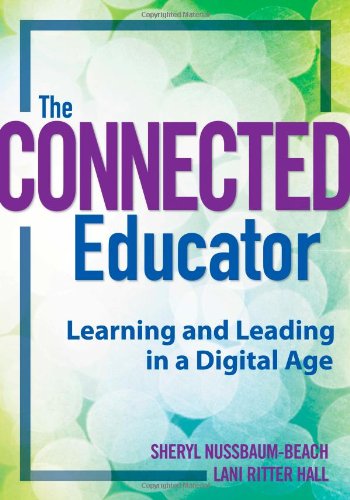
In my class, Exploring Your Digital Portfolio we are using the text, The Connected Educator: Learning and Leading in a Digital Age by Sheryl Nussbaun-Beach and Lani Ritter Hall.  So far we have read chapter six, which focuses on starting your Personal Learning Network (PLN).  Your PLN is a compilation of articles, sources, and professional that have to do with what you personally want to learn about.  For example, my PLN would reflect my interest in learning about the hospitality and tourism industry. To explain further, in my PLN would be articles about new hotels or tourism projects, educators in the field, like Donna Albano, a professor of Hospitality at Stockton University, or companies or groups that offer certification programs for hospitality.  
One of the main points or your PLN is going to be the people you follow.  You want to make sure that these people are going to help you learn and give you the resources that you want on your feed.  In The Connected Educator, it says to make sure that you are researching the people before you decide to add them to your network. The authors talk about how you don't want to follow to be following someone who never posts, posts irrelevant information for you network, or don't even use their real name.  They also mention that you can also use the people you're following to find more people by looking at who they follow themselves.  I trust my professor, Donna Albano, to be following professionals and companies in hospitality that I could start to follow and add to my network.
"Networks are just the place to connect, share resources, meet others, and get inspired," The Connected Educator, page 97.
 As someone with a personal learning network, you can also be involved in communities.  Nussbaum-Beach and  Hall talk about creating your own learning community and keeping people engaged.  It says that one of the most important parts of a learning community is that you remember that you are there to learn before teach, meaning that everyone is equal and learning from each other.  Even if you don't want to create your own community, maybe someone in your network is already apart of one that will accept new people.  Communities are made for learning, and although there should be a leader that facilitates the group, creating discussions or picking different topics to research and share about, everyone in the group should participate and learn.  The community can also branch out to people that aren't members to give webinars, tools, or the opportunity to go to events.  With networks and communities, you should constantly be learning and growing as a professional in whatever you happen to be interested in. 

Twitter: 
Knowledge in 140 Characters

Here are some articles to help use your Twitter to it's full potential!

Get Twitter Followers: Building a Foundation by Steven Hughes.  In this article Steven talks about how to gain more followers on your Twitter account.  His first tip is to set up your picture and bio because "no one wants to tweet to an egg" and a bio will help people search you.   The article also says that you should be tweeting every day at least 8-10 times.  A big way to gaining followers it definitely by being active on the site because no one wants to follow someone who never posts anything.  Hughes basically tells the reader to work with what they are given.  Twitter gives you the tool to communicate and reach out to people, so do it.  The article goes more into detail about retweeting, how many people to follow per day, and putting people into lists.


Utilizing Twitter Lists from Reflections from an Elementary School Principal.  In this post the author talks about how you can easily manage following as many people on Twitter as you would like.  The author talks about how in an article that they read it says that it is possible to follow to many people, but they don't think it is true at all.  Utilizing the lists option gives you the opportunity to organize the people you follow into categories.  For example, if I was to follow all different types of hospitality company's and professionals I could create lists with the titles "Hotel", "Cruise Lines", "Food & Beverage", and "Professionals".  In this case you can click on the list and focus on a specific category of people that you follow.  You can also search through other peoples lists and follow everyone on it at the same time.  With this tool you can follow as many people as you want with out feeling overwhelmed by the amount of new tweets on your feed.


Blogging: Tips for Beginners

If you're a first time blogger, like myself, this link will give you great tips on how to utilize many tools available to you using the blogger application in Google.  Some of the tips include how to add a drop down menu, how to add a newsletter popup, how to add a Facebook share button to posts, and how to remove borders from links.  As a new blogger this blog itself is a great tool to help make your own blog the best that it can be.